
Overview
Comprehensive Store Management System
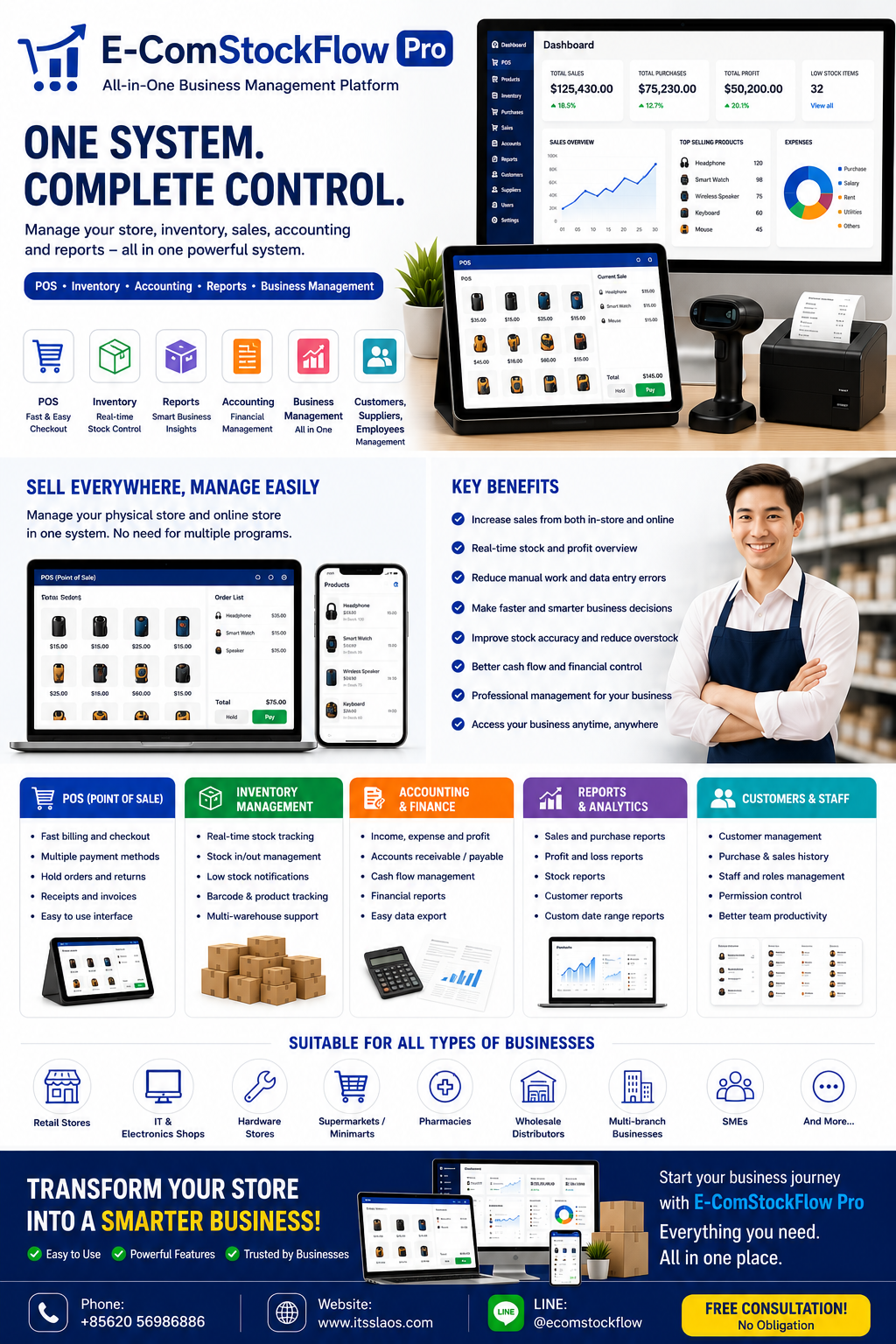
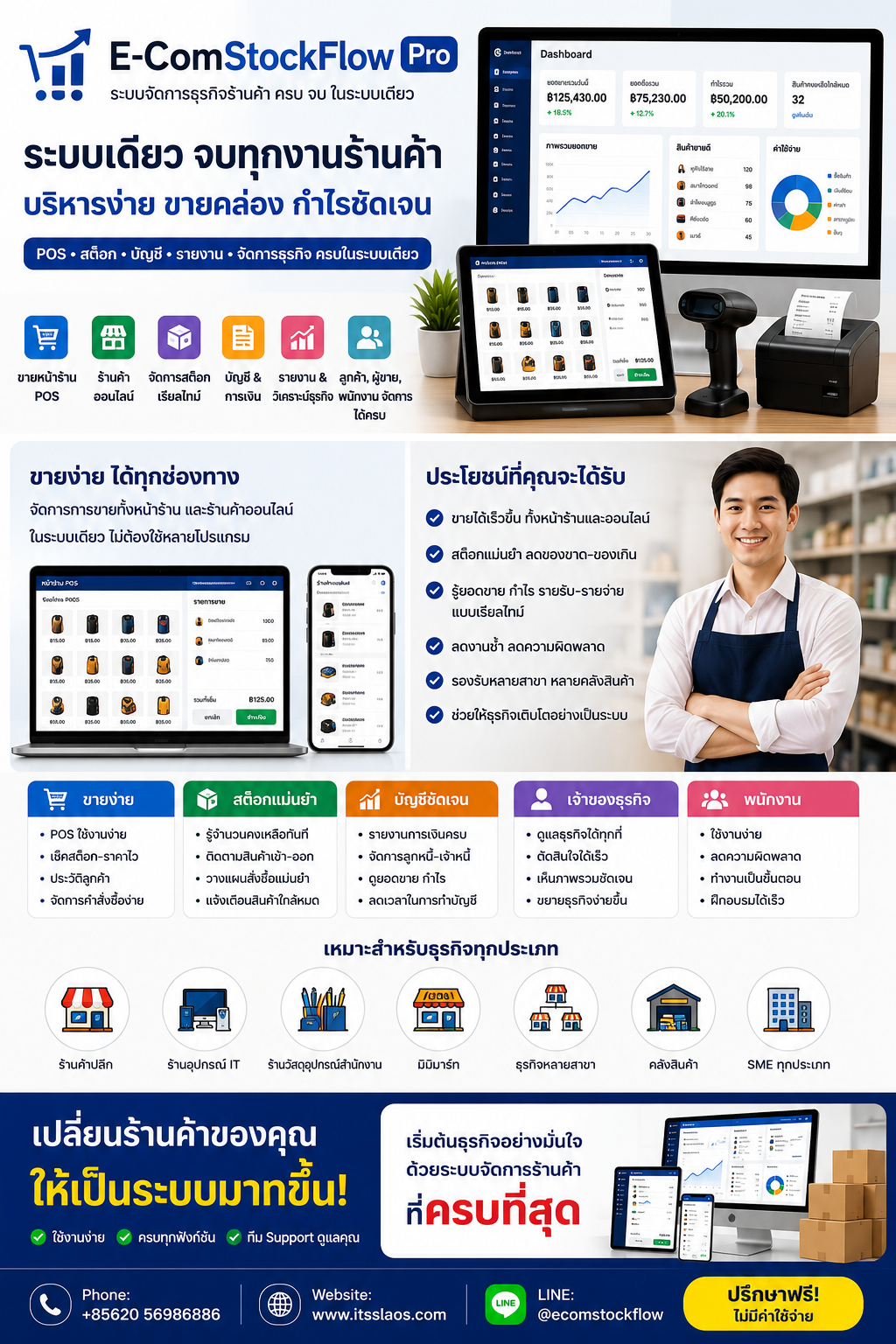
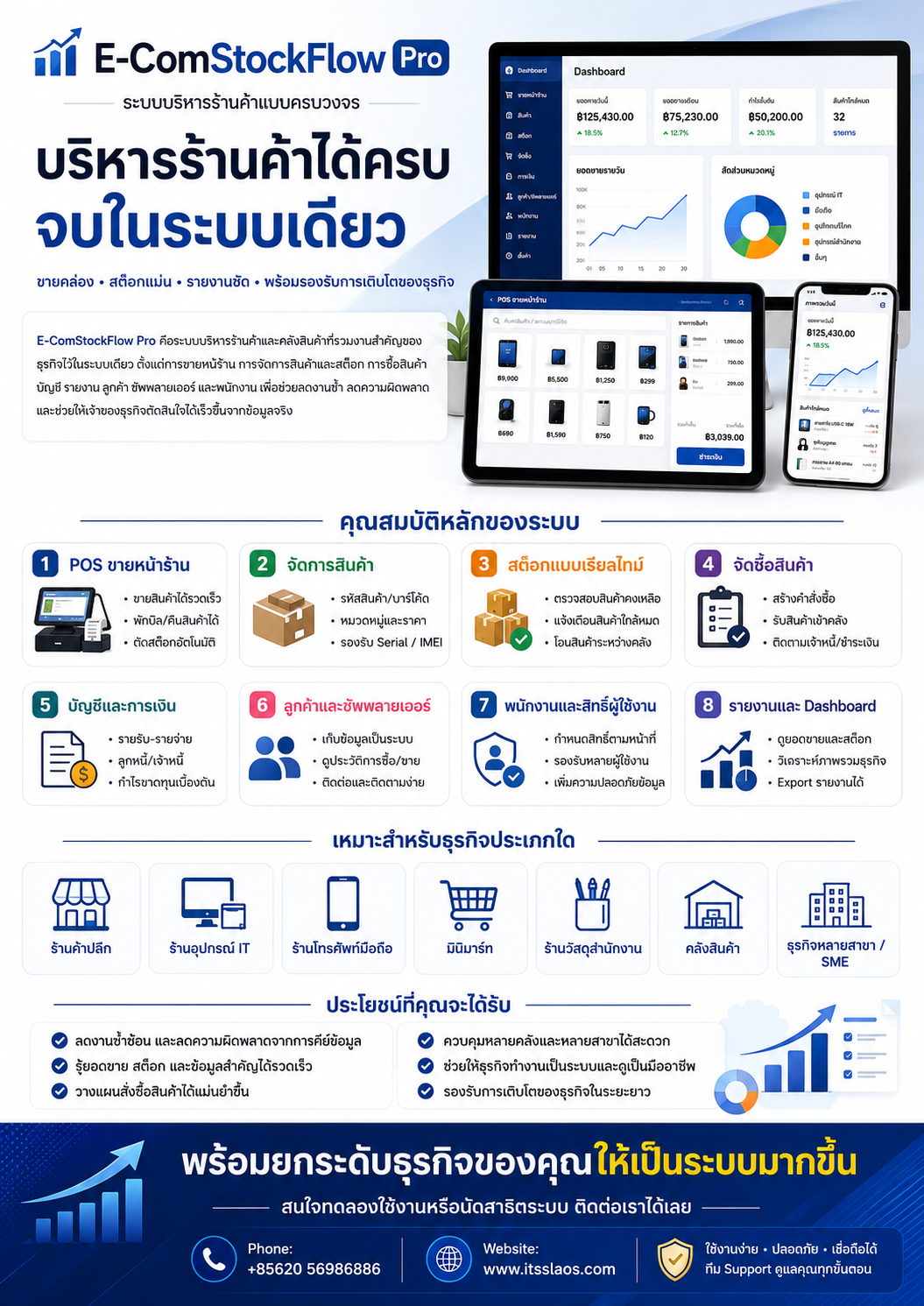
E-ComStockFlow Pro is a store and inventory management system that centralizes essential business operations into a single platform. It covers everything from Point of Sale (POS), product and inventory management, purchasing, accounting, income and expenses, customers, suppliers, and employees, to comprehensive reports for business owners.
The system is designed to reduce redundant tasks, minimize manual data entry errors, and help business owners conveniently and quickly monitor key business information.
Core Features
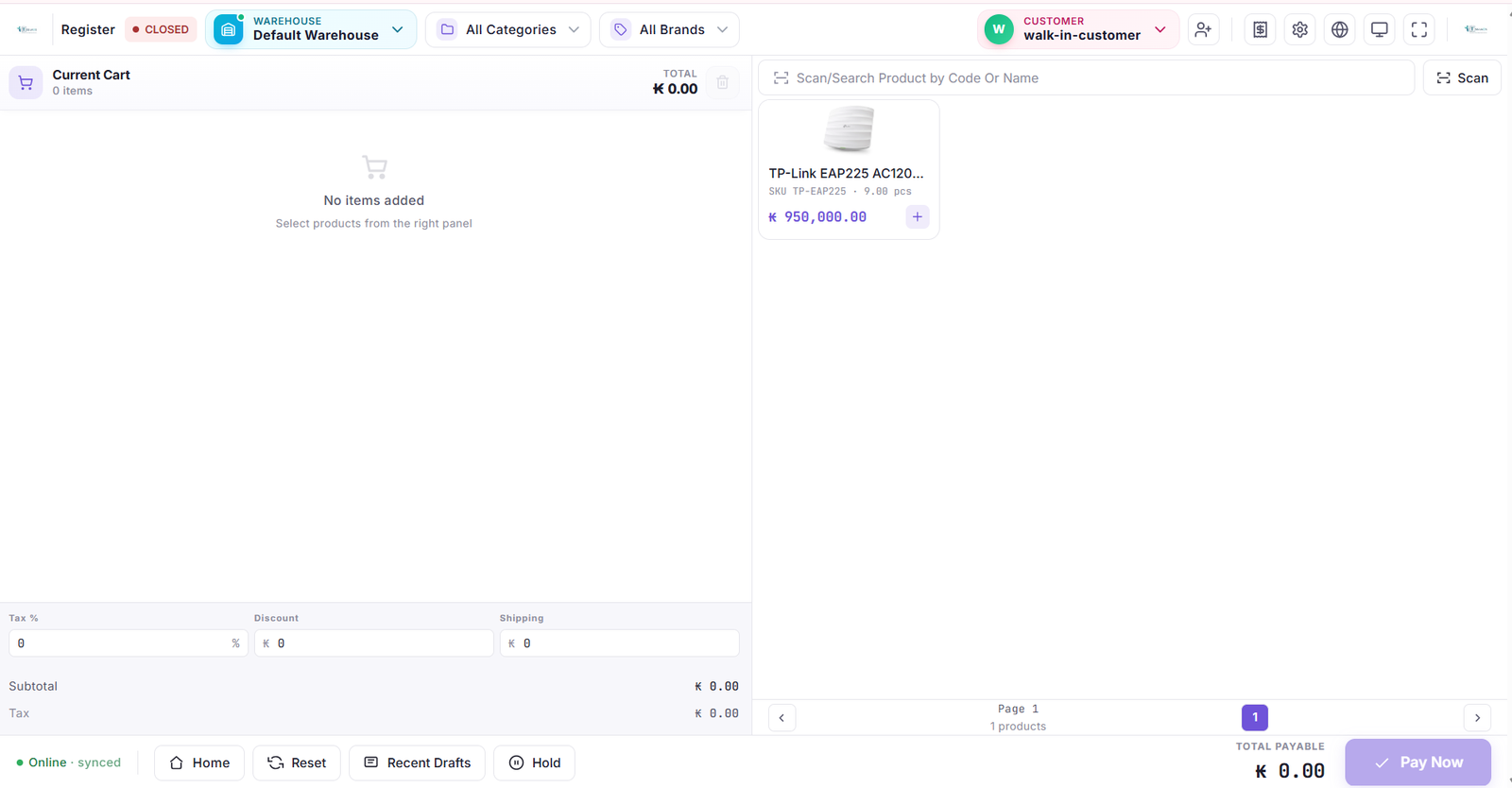
Point of Sale (POS) System
Enables staff to sell products quickly and systematically. Ideal for retail stores and businesses requiring a professional storefront checkout system.
Key Features:
Search for products by name, product code, or barcode
Quickly add products to the sales list
Supports discounts and taxes
Supports multiple payment methods
Suspend sales and retrieve them later
Supports product returns
Issue receipts and sales documents
Review past sales history
Automatic stock deduction upon sale
Product Management System
Systematically stores product information, making it easy to search, verify, and update product details.
Supports the management of:
Product name and description
Product code and barcode
Categories and brands
Units of measurement
Cost and selling price
Product images
Product variants or options
Serial Numbers or IMEIs according to product type
Minimum stock alert quantities
Product status and enabling/disabling sales
Real-Time Inventory Management System
Helps store owners quickly know the remaining stock and product movement, reducing discrepancies between the system and physical stock.
Key Features:
Check remaining stock in real-time
Track stock-in and stock-out
View product movement history
Adjust stock quantities (increase/decrease)
Low stock alerts
Check dead stock or overstock
Stock counting and reconciliation
Supports multiple warehouses
Transfer products between warehouses or branches
Check stock separated by warehouse
Purchasing System
Systematizes the process of ordering and receiving products into the warehouse, along with tracking purchase orders and outstanding balances.
Supports:
Create purchase orders
Record purchases from suppliers
Receive products into inventory
Record expenses related to purchasing
Manage returns to suppliers
Check purchase history
Track payment statuses
Check outstanding balances with suppliers
Print or export purchasing documents
Sales Management System
Beyond the POS, the system supports step-by-step management of sales documents and transactions.
Key Features:
Create quotations
Create invoices and sales orders
Record payments
Support for cash and credit sales
Manage product returns from customers
Check payment statuses
Track outstanding balances
View customer purchase history
Check sales over a specific period
Built-In Online Store System
Supports showcasing and selling products through the business's own online storefront, adding a sales channel while keeping product and stock data within the same system.
Benefits:
Display products on the store's website
Show prices, details, and product images
Receive online orders
Manage order statuses
Use product and stock data from a single database
Reduce duplicate data entry
Provides the business with its own online sales channel
Customer Management System
Helps stores systematically store customer information and track purchase history.
Supports:
Record names, phone numbers, addresses, and contact info
View product purchase history
Check outstanding balances
View past payment transactions
Group customers
Quickly search for customer information
Use data for customer care and future promotions
Supplier Management System
Consolidates partner information and purchase history in one place.
Key Features:
Record supplier information
View order history
Check receiving records
Track accounts payable
Check payment history
View return transaction records
Helps compare and plan future purchases
Accounting and Financial System
Helps business owners conveniently track income, expenses, payments, and overall financial health.
Supports:
Record income and expenses
Categorize expenses
Manage cash and bank accounts
Record money transfers between accounts
Track accounts receivable and payable
Verify receipts and payments
View Profit and Loss reports
View cash flow
Check sales and costs
Export data for the accounting department
(Note: The system helps collect business data and prepare preliminary reports. Document formats and accounting requirements should be verified against local laws before actual use.)
Employee and User Role System
Helps control data access and clearly defines employee duties.
Key Features:
Create multiple user accounts
Assign roles such as Admin, Manager, Sales Staff, and Warehouse Staff
Define permissions to view, add, edit, or delete data
Restrict access to sensitive information
Monitor user activity logs
Reduce risks from unauthorized data access
Supports employee management according to business structure
Multi-Branch and Multi-Warehouse Support
Suitable for businesses planning to expand or those with more than one point of sale and warehouse.
Supports:
Manage multiple branches in a single system
Create separate warehouses by location
Check sales separated by branch
Check stock separated by warehouse
Transfer goods between warehouses
Compare operational performance of each branch
Control employee permissions by branch
View an overall picture of all branches from a central hub
Business Reporting and Analysis
The system includes reports to help business owners see the big picture and make data-driven decisions.
Example Reports:
Sales reports
Purchase reports
Profit and Loss reports
Income and Expense reports
Inventory balance reports
Low stock reports
Best-selling product reports
Slow-moving product reports
Product return reports
Customer and Supplier reports
Accounts Receivable and Payable reports
Reports by employee or branch
Stock movement reports
Export data as Excel or PDF based on specific functions
Dashboard for Business Owners
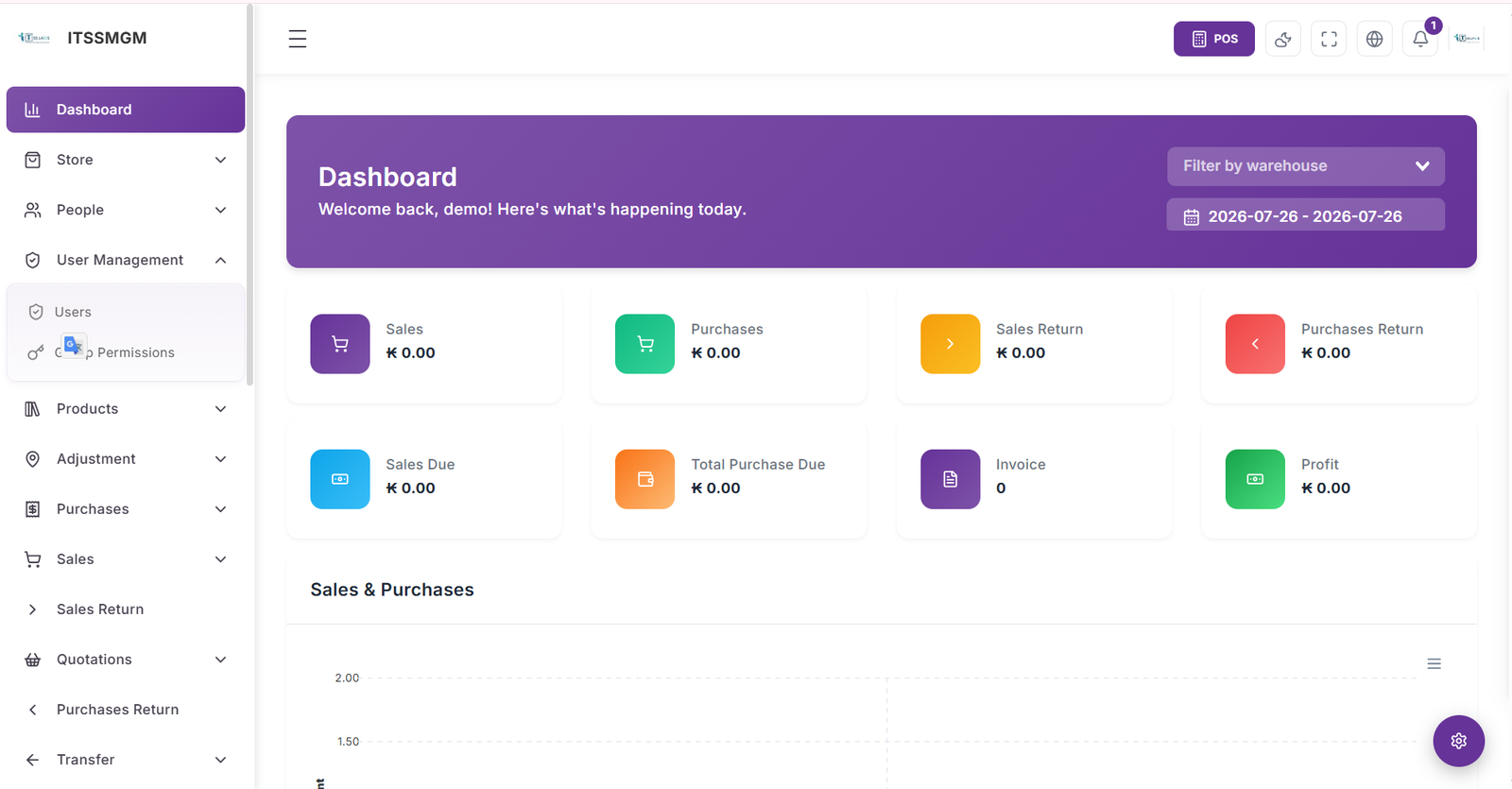
The Dashboard summarizes key information into an easy-to-understand format.
Can view data such as:
Total sales
Total purchases
Estimated profit
Number of orders
Remaining inventory count
Low stock items
Best-selling items
Expenses
Accounts receivable and payable
Sales graphs over time
Helps business owners quickly check the business's situation without needing to open each section individually.
Benefits for the Business
Reduces Redundant Work: Sales, stock, customer, purchasing, and financial data are interconnected within the system, reducing repetitive data entry across multiple programs.
Reduces Errors: Minimizes mistakes from manual recording, calculating, and typing.
Quick Data Verification: Store owners can conveniently check sales, stock, expenses, and various reports.
Accurate Purchasing Planning: Inventory balances and sales history aid in decision-making when ordering products.
Systematic Business Control: Set employee permissions, monitor data for each branch, and track operations centrally.
Supports Growth: Can start with a small store and scale up to multiple users, warehouses, or branches depending on the setup.
Suitable for Which Types of Businesses?
E-ComStockFlow Pro is suitable for:
Retail stores
IT equipment stores
Computer and accessories stores
Mobile phone shops
Electrical appliance stores
Office supplies stores
Hardware and construction materials stores
Minimarts and supermarkets
Spare parts shops
Clothing and fashion stores
Bookstores
Wholesale stores
Warehouses
Multi-branch businesses
SME businesses looking to manage sales and inventory systematically
Key Highlights of E-ComStockFlow Pro
Integrates essential store operations into one system
Web browser-based operation
Compatible with computers, tablets, and web-enabled devices
Real-time data verification
Supports multiple users
Role-based access control
Supports multiple warehouses and branches
Provides reports to aid decision-making
Customizable business data, documents, and settings
Supports further development or customization based on project scope
User:demo@itsslaosystem.com
Password:Demo@2026